Photography · 360° Product
360° product photography that lets buyers pick it up.
- Turnaround5–10 business days
- OutputEmbeddable spin viewer
- FramesTypically 24 to 72 per spin
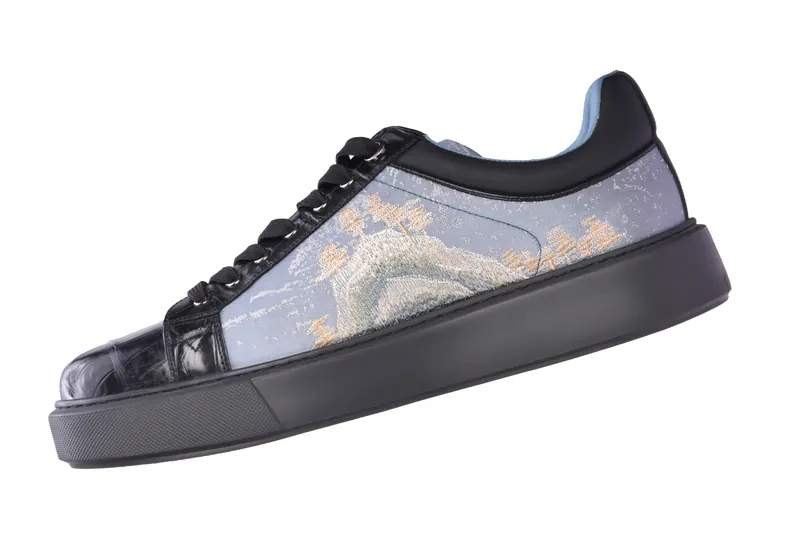
- Best forFootwear, electricals, machinery
A still photograph shows one angle. A 360 degree product spin shows all of them. For products where shape, finish and construction drive the buying decision, such as footwear, electrical fittings, valves, appliances and tools, letting customers rotate the item reduces uncertainty, and uncertainty is what stops people from adding to cart.
What a 360 product view is
A 360 degree product view is a sequence of photographs taken as the product turns through a full circle on a motorised turntable. The frames are assembled into a viewer you can embed in a web page. The visitor drags left or right to rotate the product, taps to zoom and, if you choose, rotates it vertically through several rings to see the top and underside.
Unlike a video, a spin is interactive and controlled by the customer. It loads quickly, works on phones and desktops and sits comfortably next to your normal product images. Because every frame is a high-resolution photograph, the zoom is crisp in a way that video cannot match.
Why brands use it
Richer product media tends to support conversion and can reduce returns, because buyers see more before they commit. For industrial and B2B buyers, a spin can replace a sample request: engineers can inspect ports, fittings and finishes online, then enquire with confidence.
It also differentiates. Many sellers in a category use the same four static shots. A smooth, well-lit spin signals that your product is worth the closer look, and keeps people on the page longer, which can help both conversion and engagement signals.
How we shoot it
We use a motorised turntable, a fixed camera and a lighting setup tuned to keep reflections smooth around the full rotation. That last part matters most: glossy products can flicker if highlights jump between frames, so we light with large soft sources and test the rotation before committing to a full set.
The camera captures a fixed number of frames per revolution, commonly between twenty-four and seventy-two depending on how smooth you want the motion and how large the files can be. For products that benefit from it, we repeat the revolution at different camera heights to build a multi-row spin. Every frame is colour-matched and cleaned, and backgrounds are normalised to pure white or another colour that suits your site.
The finished viewer
We assemble the frames into a lightweight viewer that you can embed in your own site with a short snippet of code, and we can deliver the raw frames if your platform has its own viewer. Controls are simple: drag to rotate, optional zoom, optional autoplay and a loading state that works on slower mobile networks. If your store runs on a platform that supports third-party viewers, we will discuss the best integration before the shoot.
You can try four live spins further down this page, and we are happy to walk you through more examples on a call before you decide.
Products that suit 360 photography
- Footwear and bags, where shape, sole and construction matter.
- Electricals and electronics, including sockets, switches, chargers and appliances.
- Valves, fittings and industrial components that buyers want to inspect from every side.
- Tools and hardware, where ergonomics and finish are selling points.
- Small furniture and homeware, where the viewer needs to understand depth.
Large, extremely reflective or transparent objects are possible but need extra setup time, and we will tell you honestly if another format would work better.
Planning your project
The cost of a spin depends on the number of products, frames per spin, rows, product size and retouching. Batching products saves money because the turntable and lights stay in place. If you also need conventional images, it is efficient to shoot standard product photography and spins in the same session, since styling and prep are shared. For machinery and components made for export, combine the spin with industrial photography of your plant to give buyers a complete picture.
Products in 360°
They rotate on their own. Drag in any direction to turn them, and use the on-screen controls to zoom, go full screen or open the hotspot pop-ups.
Electric valve actuator Three rows of frames, so you can drag up and down as well as side to side. Tap the blue markers for pop-ups on the motor, hand wheel, junction box and more.
Valve actuators Four rows of frames take the view from above, level and below. Zoom in and use full screen to inspect finish and fittings.
Gown on a mannequin Apparel rotated for fit, drape and embroidery detail, with zoom into the fabric.
Questions
Frequently asked questions
How many frames does a 360 spin need?
Most spins use between twenty-four and seventy-two frames. Twenty-four is enough for a simple rotation, while seventy-two feels almost like video. We will recommend a frame count based on the product and your site speed.
Will a 360 viewer slow down my website?
A well-built viewer loads progressively and uses optimised images. We compress frames carefully and can supply a lighter mobile version, so page speed stays healthy.
Can I use the spin on Amazon or Flipkart?
Marketplaces differ in how they handle interactive media. We deliver standard photographs for listings and the spin for your own site, and we can advise on what each platform supports at the time of your project.
Can you shoot spins at my location?
For large or heavy products we can bring the turntable to your site, subject to space and power. Smaller items are best shot at our studio in Wakad.
What files do I receive?
You receive the embeddable viewer, the numbered frames in full resolution and a still hero image for each product.